Footage organization
Bring order to raw footage, audio, B-roll, graphics, and project files. Label assets, sync recordings, and keep versions easy to find.
Stop letting good footage sit in a folder. Hire a remote video editor to shape your recordings into polished YouTube videos, podcast episodes, social clips, ads, and content your team can put to work.
Prefer to talk? 213-714-7445

Give your footage a next step
A remote video editor turns recorded footage into a finished video. They organize media, select takes, build the story, refine pacing, and prepare sound, graphics, captions, and exports around your brief.
They work from another location using shared storage, editing software, and a clear review process. You provide the footage, goals, brand direction, and feedback. Your editor brings the creative judgment and technical follow-through to move the project forward.
Hiring a dedicated remote editor can help you maintain a consistent style across an ongoing content schedule. The role can focus on short-form content, longer videos, or a mix that fits the hours and experience you hire for.
What they take off your plate
Your editor gives the post-production work a clear owner, with an organized path from first cut to final delivery.
Bring order to raw footage, audio, B-roll, graphics, and project files. Label assets, sync recordings, and keep versions easy to find.
Select useful moments, build a clear sequence, trim repetition, and shape the opening, middle, and ending around your brief and audience.
Turn supplied footage into Reels, TikTok videos, YouTube Shorts, and ad variations. Adapt framing, pacing, and on-screen text to the format.
Edit longer recordings into clear episodes. Work with multiple camera angles, supporting visuals, chapters, or shorter highlights where included in the role.
Prepare reviewed subtitles, titles, lower thirds, and branded graphic elements. Use your templates or coordinate with a motion designer for more complex animation.
Balance dialogue and music, reduce distracting noise where practical, and make exposure and color more consistent across shots. The result still depends on the source recording.
Share review versions, collect timestamped feedback, track decisions, and apply agreed changes so everyone knows which cut is current.
Check the final cut, audio, spelling, captions, framing, and export settings. Deliver agreed formats and organized project files for your team’s next step.
Agree on formats, volume, complexity, turnaround, and review rounds before hiring. Original filming, advanced motion design, visual effects, and specialist grading require the right experience and time.
Great talent. Powerful tools.
We work with our talent using leading editing and review tools to organize footage, shape the story, and keep feedback connected to the cut.
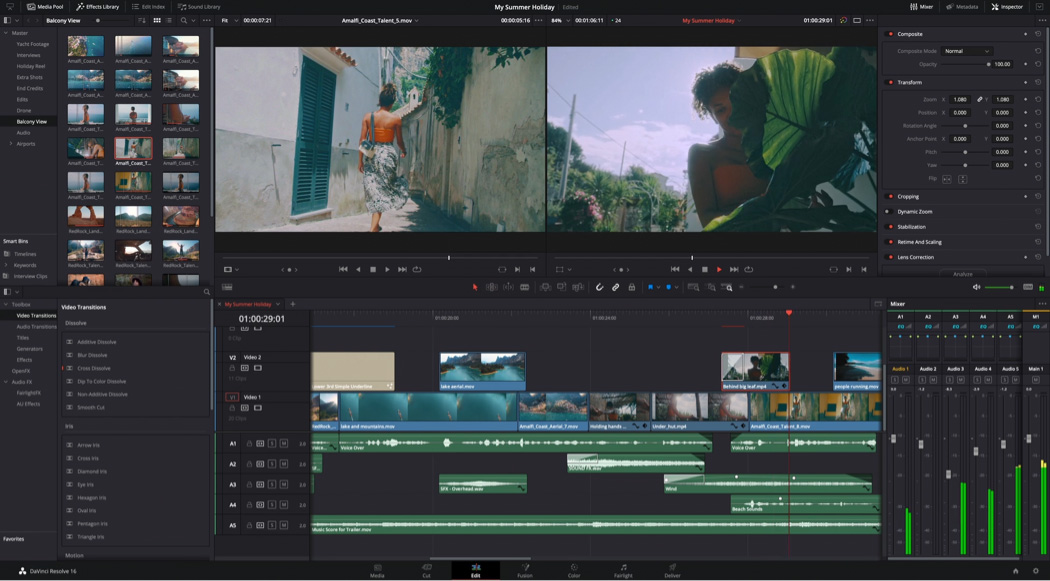
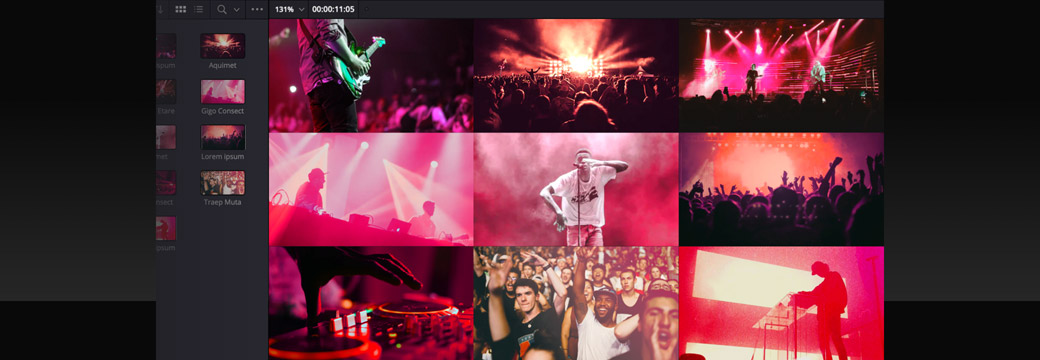
Product examples from Blackmagic Design. Shown to explain the workflow.
Build sequences, refine cuts, work with captions, and prepare final exports.
Edit footage and work with color, audio, and delivery in a connected workflow.
Create animated titles and motion graphics when that experience is part of your brief.
Keep review versions and timestamped feedback together so changes are clear.
Prepare short-form cuts, reviewed captions, and platform-ready variations.
Match the software to your workflow and project-file requirements. Agree on subscriptions, storage, access, and versions before starting. Features depend on the tools and plans you use.
AI-assisted video editing
AI can support parts of the editing process. Your editor still decides what the audience should see, how the story flows, and whether the final cut works.
Choose approved tools and agree on how client media may be processed. AI features can help, but they do not replace editing judgment or a final quality check.
Generated footage, voice cloning, and synthetic presenters need a separate brief, appropriate permissions, and review. They are not assumed to be included in a video editing role.
Choose the right creative support
You have recordings and need someone to organize, cut, polish, revise, and export them in the style your audience expects.
You need someone to develop concepts, film, photograph, or present. A creator may also edit, but production needs its own clear brief.
You need custom animation, explainers, complex graphics, or visual effects. Look for relevant specialist work and experience.
One person may cover several areas. Match the portfolio, responsibilities, and available hours to the actual work.
Formats built around your content
Build the position around what your business needs to publish.
A creator may need weekly episodes and highlights. An ecommerce team may need product cuts and ad variations. A home service business may need project showcases and customer stories. An agency may need dependable editing capacity across client work.
Agree on aspect ratios, length, captions, brand templates, delivery formats, and who publishes the approved video.
Need help publishing and managing social content? →What a strong hire looks like
A portfolio should show the work you need, not just impressive transitions. Discuss working-hour overlap and communication as well as creative skill.
A practical starting point
The workload depends on raw footage length, final length, graphics, source quality, and revisions. Use actual projects to plan capacity instead of assuming every video takes the same time.
Explore the remote onboarding guide →
Who we are
Local understanding.
Global possibility.
Your everyday advantage.
We’re Boogie. A Los Angeles–based remote staffing team connecting businesses with professionals in the Philippines and Latin America.
We know that hiring is about finding someone who understands the work and becomes part of your team. We help you define the role, meet suitable candidates, and start with a clear plan.
For video editing, that means a person who learns your style, understands your audience, and keeps the edit moving from raw footage to an approved cut—with Boogie supporting the working relationship.
Start with one person. Build your team as your business grows.
Meet the people behind Boogie →“Boogie helped us create and execute a clear hiring game plan.”
Gary Gruen · FrontLight Insurance
Read the client story →
Why hire with Boogie?
Need weekly YouTube edits, podcast episodes, social clips, or someone working alongside your producer? We help define the responsibilities before finding candidates.
Boogie handles sourcing, screening, and shortlisting. You meet suitable candidates and choose who joins your team.
We screen against your requirements, including editing software, storytelling, relevant formats, audio, graphics, and file handoff where needed.
Set priorities, communicate directly, and keep the work connected to your business. Your editor works within your tools and processes.
We help with onboarding, check-ins, and addressing concerns. If the fit needs attention, you have a team to turn to.
Choose part-time or full-time support with a month-to-month arrangement. Build around the workload and budget you have today.
How hiring through Boogie works
Share your footage, reference videos, formats, workload, schedule, and budget.
Agree on responsibilities, experience, and the support already available.
Meet suitable candidates and discuss how they would approach your video workflow.
Set access, priorities, deliverables, and communication expectations.
Before you hire
Tell us what you record, what you want to publish, and where the edit gets stuck. We’ll help define the role.
Get a QuoteYour quote depends on the experience, hours, formats, footage volume, and editing complexity required. Tell Boogie what you produce and how often. Stock assets, software, storage, specialist animation, and other production costs should be discussed separately.
Yes. Part-time support can suit a focused weekly workload. Full-time support may fit an ongoing production schedule with multiple formats and revision rounds. We help match the hours to the work.
The brief can include YouTube videos, video podcasts, interviews, webinars, social clips, ads, product demos, testimonials, or training videos. We screen for the formats and style you actually need.
A remote editor generally works with footage you or your production team provide. Original filming, presenting on camera, scripting, and content strategy are separate responsibilities to include explicitly if you need them.
Yes. Repurposing can include selecting highlights, tightening the edit, reframing for vertical video, adding captions, and preparing several versions. Agree on how clips are selected, how many are needed, and who approves them.
Match the software to your team and handoff needs. The role may use Adobe Premiere, DaVinci Resolve, CapCut, or another agreed editor. After Effects and advanced color or audio work require relevant experience. Software subscriptions and versions should be agreed before starting.
There is no useful one-size-fits-all number. A simple cut from clean footage differs from a multicamera episode with graphics and several revisions. Use a representative sample to agree on a realistic workload and turnaround.
Choose one person to consolidate feedback, use timecodes or a review tool, and agree on review deadlines and revision priorities. Changes use the editor’s working hours, so ongoing hiring does not mean unlimited edits or instant delivery.
Yes, where approved. Transcripts, rough-cut assistance, reframing, captions, and audio cleanup can support the workflow. A person still reviews the story, accuracy, timing, brand fit, and final export. Voice cloning, synthetic presenters, or generated footage need a separate brief and permission.
Keep your business’s media in business-controlled storage and define ownership, access, licensing, and project-file handoff in the engagement terms. Confirm how music, stock footage, fonts, and templates may be used before publishing.
Yes. Agree on who provides the brief and footage, who handles design and publishing, and who approves the final cut. A dedicated editor can become part of your existing production workflow.
Share sample footage, reference videos, brand assets, target platforms, expected length, weekly volume, deadlines, and budget. Discuss storage, software, review rounds, project files, and the hours you need to overlap.
Meet your everyday advantage
Give your footage someone who can move it forward. Let’s find the right remote video editor for your team.
Get a Quote Prefer to talk? 213-714-7445