Content calendars
Turn your priorities, offers, and customer questions into an organized publishing calendar. Keep deadlines, assets, channels, and approval status in one place.
Good ideas deserve to make it onto your feed. Hire a remote social media assistant for content calendars, captions, scheduling, community replies, and the follow-through your brand needs.
Prefer to talk? 213-714-7445

A consistent presence starts with a person
A social media assistant supports the day-to-day work that keeps your business active on social platforms. They prepare content, organize the calendar, schedule approved posts, monitor conversations, and keep track of performance.
A remote social media assistant works as part of your team from another location. You may also see the role called a social media virtual assistant or social media VA. The title matters less than a clear agreement about the channels, responsibilities, and hours you need.
You provide the business context and direction. Your assistant brings organized execution, learns your voice, and helps turn “we should post that” into work that gets done.
What they take off your plate
Your assistant gives the everyday work a clear owner, from the first draft to the next report.
Turn your priorities, offers, and customer questions into an organized publishing calendar. Keep deadlines, assets, channels, and approval status in one place.
Draft captions in your brand voice, adapt messages for each platform, and prepare clear calls to action, relevant hashtags, links, and image descriptions.
Create everyday social graphics and carousels using approved Canva templates. Coordinate with your designer when a campaign needs more detailed creative work.
Turn supplied footage, webinars, testimonials, and articles into useful social posts. Basic edits, subtitles, cover images, and short clips can be included when they match the hire’s skills.
Load approved posts, check formatting and links, and schedule content for your audience’s time zone. Keep your channels active without making posting another daily task for you.
Monitor comments and messages during agreed hours. Answer routine questions using approved guidance, flag opportunities, and pass complaints or sensitive conversations to the right person.
Keep bios, contact details, links, and featured content current. Organize photos, footage, templates, and permissions so your team can find what it needs.
Track publishing consistency, reach, engagement, link clicks, and inquiries where available. Summarize what performed well and what to adjust in the next content cycle.
Agree on the platforms, post volume, response hours, and approval process before hiring. Original filming, advanced design, full strategy ownership, and paid ads require the right experience and time.
Great talent. Powerful tools.
We work with our talent using leading social media tools to organize ideas, prepare content, publish consistently, and understand what connects with your audience.
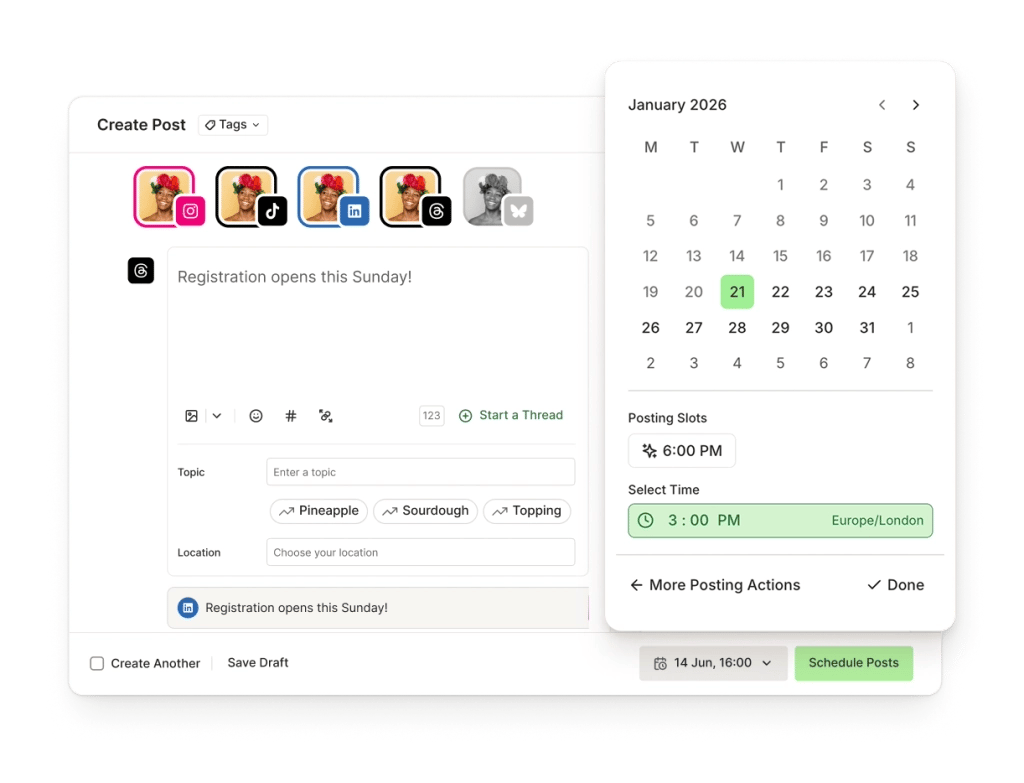
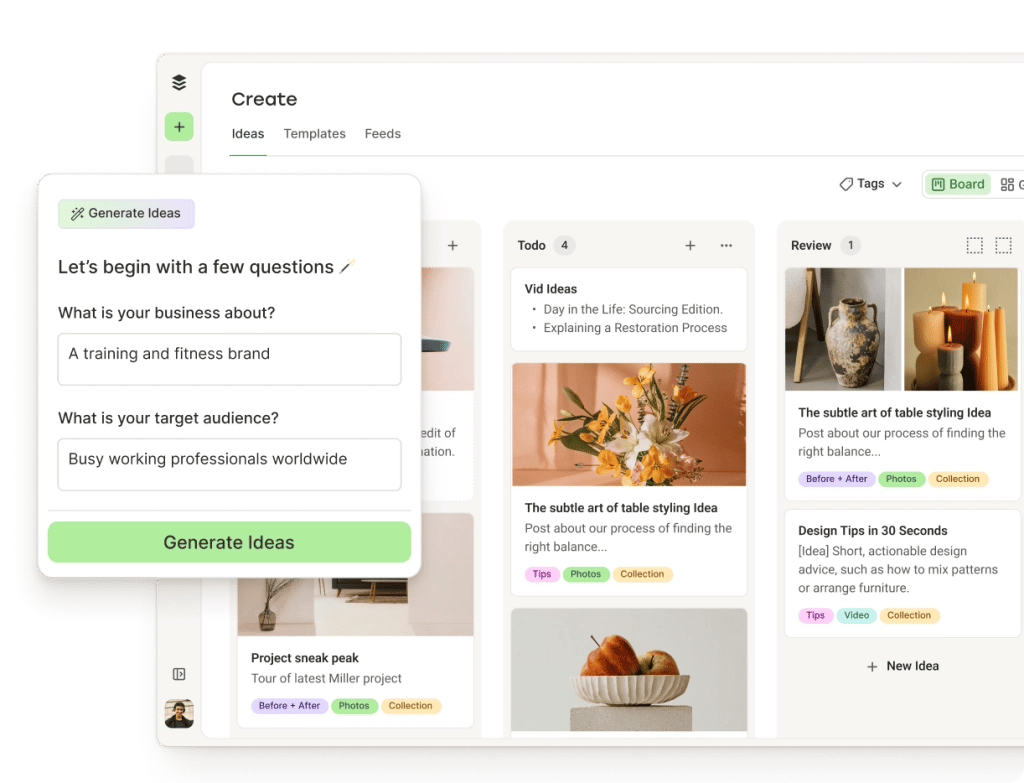
Product examples from Buffer. Shown to explain the workflow.
Manage Facebook and Instagram publishing, inbox conversations, and native insights.
Prepare branded graphics, carousels, and reusable templates for your content.
Organize ideas, tailor posts to each channel, and manage a publishing schedule.
Edit short clips and prepare reviewed subtitles for your social videos.
Review website visits and tracked inquiries from social links alongside platform insights.
Your workflow comes first. We agree on the tools, permissions, and any paid subscriptions when defining your role. Tools and features depend on your accounts and plans.
AI-assisted social media support
AI can help your assistant get from a blank page to a useful draft. A person still needs to understand your business, choose the right idea, and review the final content.
Include AI experience in the role if it fits your workflow. Your assistant can use approved tools for:
Agree on what information may enter AI tools. Your assistant checks facts, brand voice, permissions, and approvals before publishing.
Choose the right level of support
You have direction and need reliable help preparing posts, maintaining the calendar, scheduling, responding, and reporting.
You need someone to set channel priorities, develop the strategy, direct the calendar, and take broader ownership of performance.
You need someone to film, photograph, present, or produce original creative assets. This may be a separate role or part of a carefully defined brief.
One person may cover several areas, but the experience and hours must fit the work. We help clarify the role before the search begins.
Built around your business
Businesses with something useful to share and too little time to share it consistently.
A home service business might share project photos and customer questions. An ecommerce brand may need product posts and launch support. An agency may need someone to keep client calendars and approvals organized. The role should reflect your actual workload.
Focus on the platforms your customers use: Instagram and Facebook, LinkedIn, TikTok, YouTube, or a smaller combination your team can support well.
Explore broader marketing support →What a strong hire looks like
Look for relevant examples and a clear working process.
Discuss language skills, audience knowledge, time-zone overlap, and AI experience as part of screening.
A practical starting point
Start with a clear brief and a manageable content cycle.
The scope should match the hours available. A few well-supported channels are a practical starting point for a focused part-time role.
Explore the remote onboarding guide →
Who we are
Local understanding.
Global possibility.
Your everyday advantage.
We’re Boogie. A Los Angeles–based remote staffing team connecting businesses with professionals in the Philippines and Latin America.
We know that hiring is about finding someone who understands the work and becomes part of your team. We help you define the role, meet suitable candidates, and start with a clear plan.
For social media, that means a person who learns your brand voice, understands your audience, and keeps the content and conversations moving—with Boogie supporting the working relationship.
Start with one person. Build your team as your business grows.
Meet the people behind Boogie →“Boogie helped us create and execute a clear hiring game plan.”
Gary Gruen · FrontLight Insurance
Read the client story →
Why hire with Boogie?
Need a reliable posting calendar, community support, or someone working alongside your marketing manager? We help define the responsibilities before finding candidates.
Boogie handles sourcing, screening, and shortlisting. You meet suitable candidates and choose who joins your team.
We screen against your requirements, including platform experience, writing, Canva, video editing, community support, and reporting where needed.
Set priorities, communicate directly, and keep the work connected to your business. Your assistant works within your tools and processes.
We help with onboarding, check-ins, and addressing concerns. If the fit needs attention, you have a team to turn to.
Choose part-time or full-time support with a month-to-month arrangement. Build around the workload and budget you have today.
How hiring through Boogie works
Share your channels, goals, content workload, schedule, and budget.
Agree on responsibilities, experience, and the support already available.
Meet suitable candidates and discuss how they would approach your social media.
Set access, priorities, deliverables, and communication expectations.
Before you hire
Tell us about your channels and the work you need help with. We’ll help define the role.
Get a QuoteYour quote depends on working hours, platforms, experience, and the amount of writing, design, video, and community support involved. Tell Boogie what you need so we can define a realistic scope. Paid software and advertising budgets are discussed separately.
Yes. Part-time support can fit a focused calendar on a few channels. Full-time support can suit a larger content workload or more community coverage. We help match the hours to your priorities.
The role can include Instagram, Facebook, LinkedIn, TikTok, YouTube, Pinterest, or other channels relevant to your audience. We screen for the platforms you need rather than assuming every candidate knows every channel.
Basic Canva graphics, carousels, and short video edits can be part of the position. Define the expected quality, volume, formats, and source footage before hiring. Advanced animation, original filming, or specialist design may need a separate creator.
Provide your brand guidelines, offers, approved information, and available assets. Your assistant can organize ideas and draft a calendar. If you need someone to own audience research and overall strategy, include social media management experience in the brief.
Yes, within agreed hours and guidelines. Define which questions they may answer, how leads are routed, and which topics need your approval. Round-the-clock inbox coverage requires a separately planned schedule.
Yes, where you approve it. AI can help with draft ideas, caption alternatives, transcription, and repurposing. Your assistant should review accuracy, tone, permissions, and the final post before anything is published.
You can. Set a review process, one person responsible for approval, and deadlines for feedback. Your assistant prepares drafts and schedules approved posts so the calendar keeps moving.
Paid campaign management is a separate skill and should be included explicitly in the role or handled by a Meta ads specialist. Organic social results depend on your audience, content, offer, and platform distribution; no hire can guarantee viral posts, followers, or sales.
Use platform roles and business-owned accounts, agree on permissions, and keep ownership with your business. Review completed posts, response times, content quality, useful engagement, clicks, and inquiries against a starting baseline.
Yes. A dedicated assistant can handle production, publishing, community triage, and reporting while your manager or agency provides direction. Agree on who owns strategy, creative, approvals, and results.
Share your channels, target customers, brand voice, content examples, workload, time zone, and budget. List the tasks taking up your time and the outcomes you want, then agree on the first month’s priorities.
Meet your everyday advantage
Tell us what’s on your plate. We’ll help you find the right remote social media support.
Get a Quote Prefer to talk? 213-714-7445